I tried an unbelievably powerful Google trick that everyone has but nobody uses
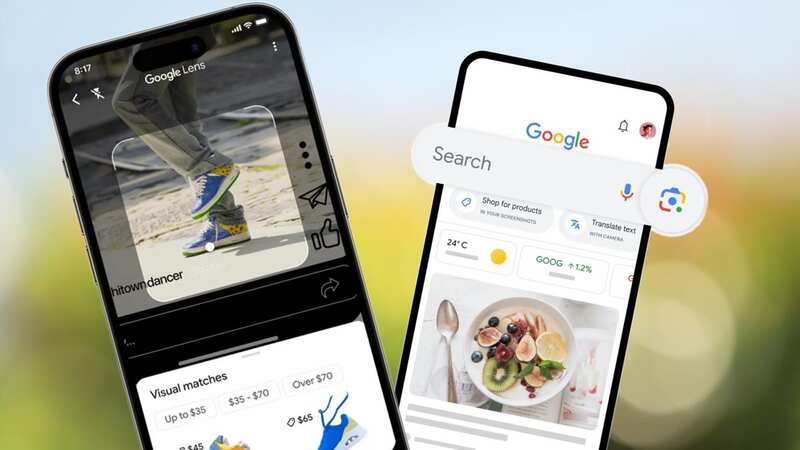
Our smartphones are incredible pieces of kit. Almost all of us carry around technology so advanced it was almost unimaginable a few decades ago.
But a lot of the time, we aren't using phones to their full potential—with apps like TikTok, WhatsApp, and YouTube taking up most of our screentime. Meanwhile, some incredibly powerful smartphone features are going unused. One of the most useful tools on your device is called Google Lens.
READ MORE: People are blocking you on WhatsApp and there's a simple way to find out who
Google Lens' tagline is 'Search what you see', and that's a pretty accurate description of this powerful feature. It uses a combination of your smartphone camera and AI to give you information on almost anything in the world, whether it's a plant, a type of food, a person, or a place.
What's more, it's built into the Google app on Android and iPhone, and lets you either take a picture or upload an existing image. Google's clever algorithms then analyse what's in the picture, compare it to similar results on the search engine, and then serves you up relevant images and information.
 Apple TV release MLS Season Pass worldwide and announce free opening weekend
I've used Lens to identify vegetables, actors, films, albums, and much more on occasions when I might not have known enough about something to type in a written search. It was a really great way to find out more about unusual places I saw dotted around on the weekend, such as Oast houses in Kent.
 Google Lens comes built into most Android apps, including the new Google Pixel 7a (GOOGLE)
It can also be used to take photos of signs or menus and translate them, so it's great to use on holiday. Or, try taking a photo of someone's clothes to see where they bought them from. And yes, you can even use Lens to scan QR codes.
Google does urge caution when using it as it's not 100% accurate. The tech giant said: "When analysing an image, Lens often generates several possible results and ranks the probable relevance of each result. Lens may sometimes narrow these possibilities to a single result. Let’s say that Lens is looking at a dog that it identifies as probably 95% German Shepherd and 5% Corgi. In this case, Lens might only show the result for a German shepherd, which Lens has judged to be most visually similar."
That means you probably shouldn't rely on it to identify fungi or mysterious plants in the woods. However, when Lens has found what you're looking for with relevant certainty, it will give you as much information as it can ranging from Wikipedia descriptions, relevant website links, names and much more.
 iPhone users can access Google Lens via apps on from the App Store (Getty Images)
How do I use Google Lens visual search?
Your ability to use Google Lens varies depending on which smartphone you're using. Most Android devices will come with a Google search bar on the phone's home screen, in which case all you need to do is tap the small camera icon on the right of the search bar. Then, all you have to do is take a photo using the app or upload an image from your phone's photo gallery.
If you want to do the same thing on iPhone you can, but you'll need to download and install the Google App from the Play Store. It's worth noting however that the iPhone also has a very similar feature called Visual Lookup, which comes fitted with the main camera app.
Read more similar news:
Comments:
comments powered by Disqus