30 July 2023 , 07:27
688
0
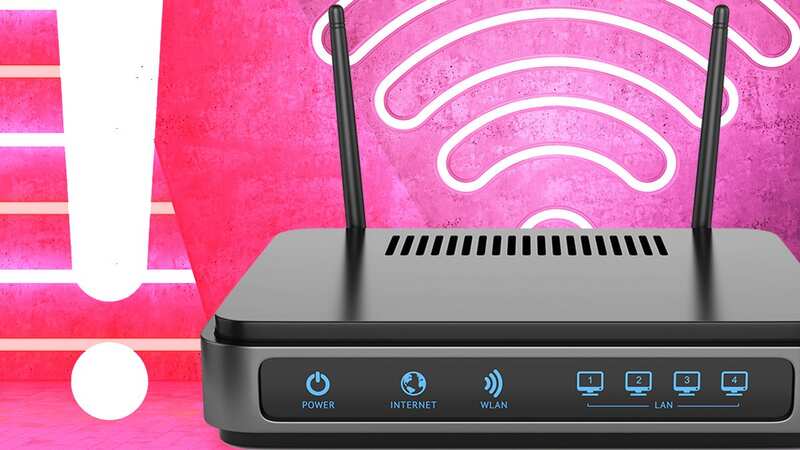
If your downloads feel about as fast as snail trudging through treacle then it might be a good idea to check out the latest advice from Virgin Media. The Internet Service Provider (ISP) has just sent an email out to customers explaining why the positioning of their Wi-Fi routers is key to better speeds. Yes, making a very simple change could work wonders for your movie streaming and work Zoom calls.
In fact, popping this flashing black box in certain rooms or bad areas of a home can see things grind to an irritating halt.
According to Virgin’s updated advice, the worst room for a router is the kitchen as this area is full of metal objects and devices such as microwave ovens which can wreak havoc with signals.
“Kitchens are often home to heavy-duty metal appliances (think ovens, fridges and washing machines), as well as signal-emitting electronics like microwaves, making them a particularly inhospitable environment for your router,” Virgin explains.
Even if you move things out of the kitchen your broadband might not be in the clear. Other things that can slow a connection down include placing the router in cupboards or behind the TV.
 Mrs Hinch fans' 4p trick for cleaning 'entire' washing machine in five minutes
It might look neater but this device needs clear space around it to produce the strongest signal.
“Some people are tempted to tuck their internet router away for aesthetic reasons, but stowing yours in a cupboard or box is a surefire way to weaken your internet connection because any physical obstruction around your hub will interfere with the signal,” Virgin added.
Next, it’s a good idea to get the router as high up as possible and never lie it flat on the floor as you won’t get the best out of it.
Finally, there’s the old trick of not placing the router near items such as mirrors or fish tanks as broadband hates water and reflections can cause huge issues when you come to download your next movie.
Explaining more. Virgin said: “It may sound bizarre, but fish tanks and mirrors are also the enemies of home broadband. Water inhibits WiFi signal, so placing your router next to a fish tank is likely to have a negative impact on its stability.
“Mirrors can also reflect the radio waves used to transmit wireless internet, which can have a negative impact on performance by scattering and distorting the signal. It’s not just mirrors, either: be wary of stainless steel countertops, filing cabinets or any other flat, reflective surface.”
Don’t forget that these tips will work even if your broadband isn’t with Virgin Media, give them a try and see if your speeds get faster.