30 March 2023 , 13:00
1229
0
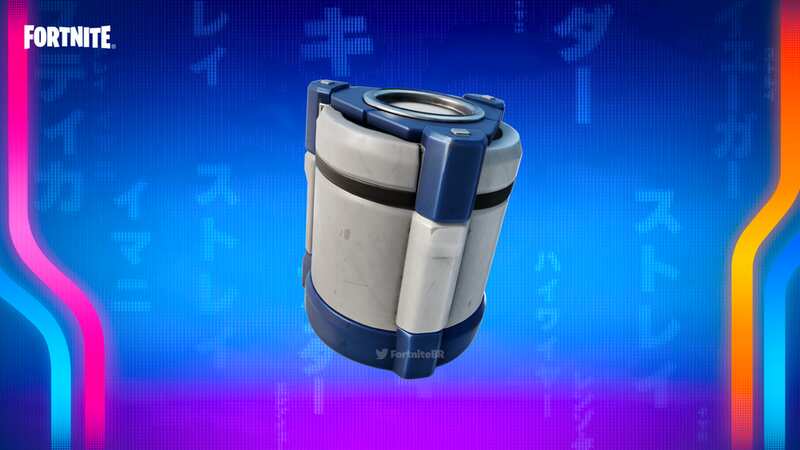
The Fortnite Combat Cache plays a big part in this week's new quests, so if you’re a bit stuck with it, then worry not, we’ll explain everything you need to know.
The Fortnite Combat Cache mechanic was added to the game upon the release of Fortnite Chapter 4 Season 2. They appear on the map at a random location during a given match and give players the chance to nab some top-tier weapons and items if they open them quickly enough.
The Fortnite Combat Cache is the subject of one of the weekly quests added this week alongside Fortnite Update 24.10 and the Fortnite Spring Breakout Quests. Alongside the in-game loot, you’ll be able to pick up a lovely 12K XP for completing this mission, so you can blast your way through this season's Battle Pass even quicker.
 Here's what a Combat Cache looks like in-game (Scott McCrae)
The Fortnite Combat Cache is a box full of loot that spawns onto the map at a random location, always after the end of the second Storm Eye Shrinking phase of a match. When the Combat Cache first spawns it holds Legendary loot, however, the longer it takes for someone to activate it, the worse the loot gets, going down to Epic, then Rare and so on.
Sadly, due to the nature of the Combat Cache, we can’t actually tell you where it will spawn, since it's completely random. We would suggest hanging out around the middle area of the map and racing as fast as you can towards it once it spawns (maybe have a Nitro Drifter handy for good measure). Luckily, once it spawns you’ll get a ping on your screen and your map showing you the location. However, so does every other player in the match, so be prepared to fight for the right to open the Combat Cache once you arrive.
 Why Star Wars Jedi: Survivor's six week delay is a good thing
Once you arrive at the Combat Cache, you’ll be prompted to ‘Recover Cache’ with an on-screen button prompt. Once you’ve held the button to activate it a progress bar appears at the bottom of the screen for you and other players, so not only do you need to get to the cache first, you need to survive until it opens. Once the progress bar is finished, that's you, the quest is complete and you can collect your loot and your 12K XP!